
This article was originally published on February 21, 2020, and updated on July 10, 2026.
The right digital marketing tools can save time, improve decision-making, and help a small business attract and convert more customers. This guide examines ten leading tools for search performance, analytics, SEO, artificial intelligence, graphic design, customer management, email, social media, website behavior, and marketing automation.
Key Takeaways
- Choose digital marketing tools based on a specific business problem, not popularity.
- Google Search Console, Google Analytics 4, and Microsoft Clarity provide a strong free measurement foundation.
- Semrush can support deeper SEO, competitor, and content research.
- ChatGPT can accelerate planning, analysis, drafting, and content repurposing, but every output requires human review.
- Canva helps small businesses produce consistent everyday marketing materials.
- HubSpot CRM can prevent leads and follow-up tasks from being lost.
- Email marketing remains valuable because it provides a direct relationship with subscribers.
- Social scheduling tools improve consistency but do not replace real customer interaction.
- Automate only after simplifying and documenting the underlying process.
- Review software subscriptions regularly and eliminate unused or duplicative tools.
Digital marketing is no longer limited to publishing occasional blog posts, sending promotional emails, or posting on social media. Small businesses now manage search visibility, website analytics, customer relationships, email campaigns, social media calendars, online reviews, video, graphic design, advertising, and artificial intelligence-assisted content production.
Trying to handle all these activities manually can quickly consume an entrepreneur’s time. The right digital marketing tools can reduce repetitive work, uncover useful customer insights, improve campaign performance, and help a small business compete more effectively.
However, more software does not automatically produce better marketing.
Many businesses pay for several platforms that perform the same functions, collect data they never review, or offer advanced features that the team does not know how to use. A tool is valuable only when it solves a clearly defined problem and supports a consistent marketing process.
The best digital marketing toolkit for your business will depend on your audience, budget, business model, and growth priorities. A neighborhood service business may need local search visibility and review management. An ecommerce company may prioritize email automation, product analytics, and social media content. A consultant may depend more heavily on search engine optimization, lead nurturing, and customer relationship management.
The following ten tools cover the most important areas of modern digital marketing, including SEO, analytics, artificial intelligence, visual content, email marketing, customer management, social media, user experience, and automation.
Table of Contents

Digital Marketing Tools at a Glance
| Marketing need | Recommended tool | Primary use | Free option available? |
|---|---|---|---|
| Search performance | Google Search Console | Monitor rankings, clicks, indexing, and search queries | Yes |
| Website analytics | Google Analytics 4 | Measure traffic, engagement, leads, and sales | Yes |
| SEO and competitor research | Semrush | Keyword research, audits, backlinks, and competitor analysis | Limited |
| AI-assisted marketing | ChatGPT | Research, planning, drafting, analysis, and content repurposing | Yes |
| Graphic design | Canva | Social graphics, presentations, videos, and marketing materials | Yes |
| Customer relationship management | HubSpot CRM | Organize leads, contacts, sales activity, and follow-ups | Yes |
| Email marketing | Mailchimp | Newsletters, email automation, segmentation, and reporting | Limited |
| Social media management | Buffer | Schedule, organize, and analyze social media content | Limited |
| Visitor behavior analysis | Microsoft Clarity | Heatmaps, recordings, and website usability insights | Yes |
| Marketing automation | Zapier | Connect applications and automate repetitive workflows | Limited |
1. Google Search Console for Monitoring Search Visibility
Google Search Console should be one of the first tools connected to any business website. It shows how Google discovers, indexes, and displays your pages in search results.
Search Console does not replace a complete SEO platform, but it provides something third-party tools cannot: performance data directly from Google.
Business owners can use the Performance report to review:
- Search queries that generate impressions and clicks
- Pages receiving organic search traffic
- Average search positions
- Click-through rates
- Performance by device, country, and date
- Changes in traffic following an update
- Pages that receive impressions but few clicks
Google explains that Search Console’s Performance report can break search activity down by queries, pages, and countries while showing trends in impressions, clicks, and other metrics.
This information can guide content decisions. For example, suppose an article receives thousands of impressions for a relevant keyword but has a low click-through rate. The business may need to improve the page title and meta description. If a page once generated traffic but has declined steadily, it may require updated information, better internal links, or a stronger match with current search intent.
Search Console is also useful for identifying indexing problems. The URL Inspection tool can help determine whether Google has indexed a page, when it was last crawled, and whether technical issues may prevent the page from appearing in search.
Best ways to use Google Search Console
Review the platform at least once a month and look for:
- High-impression pages with low click-through rates
- Queries ranking between positions 5 and 20
- Recently declining articles
- New keywords for which your site is beginning to appear
- Pages excluded from Google’s index
- Mobile usability or Core Web Vitals concerns
Do not obsess over daily ranking changes. Instead, look for patterns across several weeks or months.
For a broader strategy, read Why Small Businesses Cannot Rely Only on Google Rankings. Google’s own SEO Starter Guide is another useful resource for understanding the fundamentals of search optimization.
Best for: Every business with a website
Main advantage: Direct search-performance and indexing data from Google
Potential limitation: It explains what happened but does not always explain why
2. Google Analytics 4 for Measuring Website Results
Search Console tells you what happens before someone clicks a Google result. Google Analytics 4 helps you understand what visitors do after arriving on your website.
Google Analytics 4, commonly called GA4, uses events to measure actions such as page views, link clicks, form submissions, video plays, downloads, purchases, and other customer interactions. Google defines an event as a way to measure a specific interaction or occurrence on a website or application.
A basic analytics implementation may show how many people visit a website. A useful analytics implementation connects those visits to meaningful business outcomes.
Depending on your business, those outcomes may include:
- Completed purchases
- Quote requests
- Contact-form submissions
- Appointment bookings
- Newsletter registrations
- Software trials
- Phone-number clicks
- Brochure downloads
- Account registrations
GA4 allows businesses to designate important actions as key events. These events can also support cross-channel conversion measurement and, where appropriate, be connected to Google Ads.
Questions GA4 can help answer
A properly configured account can help a business determine:
- Which marketing channels produce the most leads
- Which landing pages result in sales or inquiries
- Whether mobile visitors behave differently from desktop visitors
- Which campaigns attract engaged visitors
- Where customers leave a purchasing process
- Whether email traffic converts better than social traffic
- Which products or services generate the most interest
For example, social media may send a large volume of visitors but very few inquiries, while email may send fewer visitors who convert at a much higher rate. Without analytics, a business could mistakenly invest more heavily in the channel producing the most traffic rather than the channel producing the most revenue.
Set up meaningful events
Avoid measuring only page views. Create or configure events around actions that matter to the business.
A local contractor might track clicks on the telephone number and completed quote forms. An online retailer might track product views, additions to carts, checkouts, and purchases. A consultant might track scheduling-page visits and discovery-call bookings.
The goal is not to collect every possible data point. It is to collect enough reliable information to make better decisions.
Best for: Measuring traffic, engagement, conversions, and customer journeys
Main advantage: Detailed website and cross-channel performance analysis
Potential limitation: Initial configuration can be confusing for beginners
3. Semrush for SEO and Competitor Research
Semrush is a comprehensive digital marketing platform best known for search engine optimization and competitive research.
It can help marketers examine:
- Keyword search demand
- Competitor rankings
- Organic traffic opportunities
- Backlinks
- Paid search activity
- Technical website problems
- Content gaps
- Local search visibility
- Brand visibility in traditional and AI-assisted search experiences
Semrush is particularly useful when a business wants to understand the competitive landscape beyond its own data.
Google Search Console shows the queries for which your website receives impressions. Semrush can help reveal topics and keywords for which competitors rank but your website does not.
How a small business can use Semrush
Suppose you operate a bookkeeping service. You could use Semrush to identify:
- Keywords potential clients use when searching for bookkeeping help
- Competitors that rank for those terms
- Articles attracting organic traffic to competing websites
- Backlinks pointing to competitors
- Technical issues affecting your website
- Local keyword opportunities involving your city or region
This research can then shape service pages, blog articles, comparison pages, FAQs, and outreach campaigns.
Semrush also includes auditing features that can flag broken links, duplicate elements, crawlability concerns, missing metadata, and other technical issues. However, automated recommendations still require human review. Not every warning has the same importance, and fixing a high number of minor issues does not necessarily improve rankings.
Semrush alternatives
Semrush is powerful, but it may be more software than a small business needs. Other options include:
- Ahrefs for backlink research and competitive SEO
- Moz Pro for keyword and ranking tools
- Mangools for a more approachable keyword-research interface
- Ubersuggest for basic research
- Google Search Console and Google Keyword Planner for businesses with very limited budgets
Before paying for an advanced SEO platform, make sure you have time to act on the information it provides.
For additional guidance, see Best SEO Companies for Small Businesses and Affordable Ways to Market Your Business.
Best for: SEO research, competitor analysis, and website audits
Main advantage: Combines several search and competitive-research functions
Potential limitation: Pricing and complexity may be excessive for very small businesses
4. ChatGPT for Marketing Research, Planning, and Production

Artificial intelligence has become part of everyday marketing work. ChatGPT can help small businesses move from an initial idea to a campaign plan, draft, analysis, or set of promotional assets more efficiently.
OpenAI describes common marketing uses as planning campaigns, developing content, analyzing performance, producing variations, and turning information into practical next steps. It also emphasizes the need for human judgment in final decisions.
ChatGPT can support tasks such as:
- Brainstorming campaign themes
- Researching customer questions
- Creating audience personas
- Organizing keyword ideas
- Developing article outlines
- Drafting email sequences
- Generating social media variations
- Repurposing an article into other formats
- Summarizing customer feedback
- Analyzing exported campaign data
- Revising copy for different audiences
- Preparing interview questions
- Creating first drafts of FAQs
- Comparing marketing approaches
For example, a business could provide ChatGPT with customer reviews and ask it to identify recurring frustrations, desired outcomes, and language customers commonly use. Those insights could improve landing-page copy, advertisements, FAQs, and sales conversations.
A company could also turn one detailed article into a newsletter, LinkedIn post, short video script, infographic outline, and customer checklist. This can reduce production time while keeping the central message consistent.
How to use AI without weakening your marketing
AI should assist human expertise rather than replace it. Do not publish generated material without reviewing it.
Every AI-assisted draft should be checked for:
- Factual accuracy
- Outdated information
- Invented statistics or sources
- Repetitive wording
- Generic recommendations
- Incorrect product details
- Unnatural language
- Brand consistency
- Legal or compliance concerns
- Original insight and experience
The strongest content usually combines AI-supported efficiency with firsthand knowledge, customer examples, original analysis, and careful editing.
Avoid entering confidential customer records, private financial data, unreleased business plans, or sensitive intellectual property into a consumer AI tool without understanding the applicable data controls and company policies.
Read How AI Can Help You Run a Home Business More Efficiently and Generative AI Trends Small Businesses Should Watch for additional ideas.
Best for: Planning, drafting, research assistance, analysis, and repurposing
Main advantage: Can accelerate many different marketing tasks
Potential limitation: Outputs require verification, editing, and business judgment
5. Canva for Visual Marketing Content
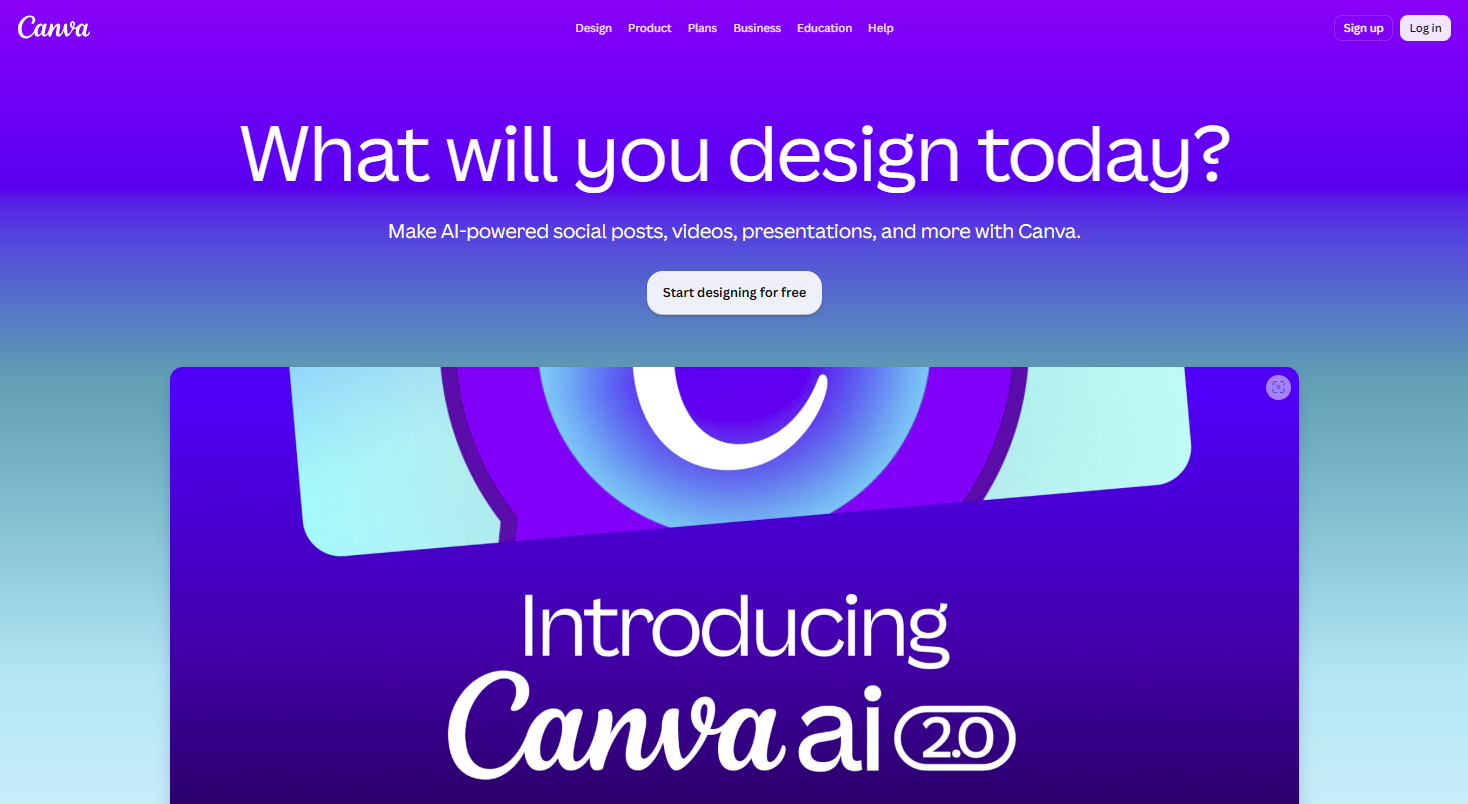
A small business regularly needs graphics for websites, advertisements, social media, presentations, events, email campaigns, brochures, and sales materials. Hiring a designer for every small asset may be impractical, but inconsistent or poorly designed materials can weaken the brand.
Canva offers templates and editing tools that make basic visual production accessible to people without advanced design experience.
Businesses can use Canva to create:
- Social media posts
- Promotional flyers
- Presentations
- Infographics
- Business cards
- Email graphics
- Website banners
- Short-form videos
- Product sheets
- Checklists
- Lead magnets
- Event invitations
- Simple logos and brand assets
Templates can save time, but they should not become a substitute for a recognizable brand. Customize the fonts, imagery, spacing, colors, and messaging rather than using a popular template unchanged.
Create a basic brand system
A business can improve consistency by establishing a small set of visual rules:
- Two or three approved fonts
- A primary and secondary color palette
- Standard logo placement
- A consistent photography style
- Reusable layouts for social posts
- Defined heading and body-text sizes
- Rules for icons and illustrations
Once these choices are established, the team can produce new assets more quickly without making every design decision from the beginning.
Canva is appropriate for day-to-day marketing production, but a professional designer may still be needed for a complete brand identity, sophisticated packaging, complex advertising, or high-value print projects.
Best for: Everyday visual content and marketing collateral
Main advantage: Easy-to-use templates and broad format support
Potential limitation: Overused templates can make brands look generic
6. HubSpot CRM for Managing Leads and Customers
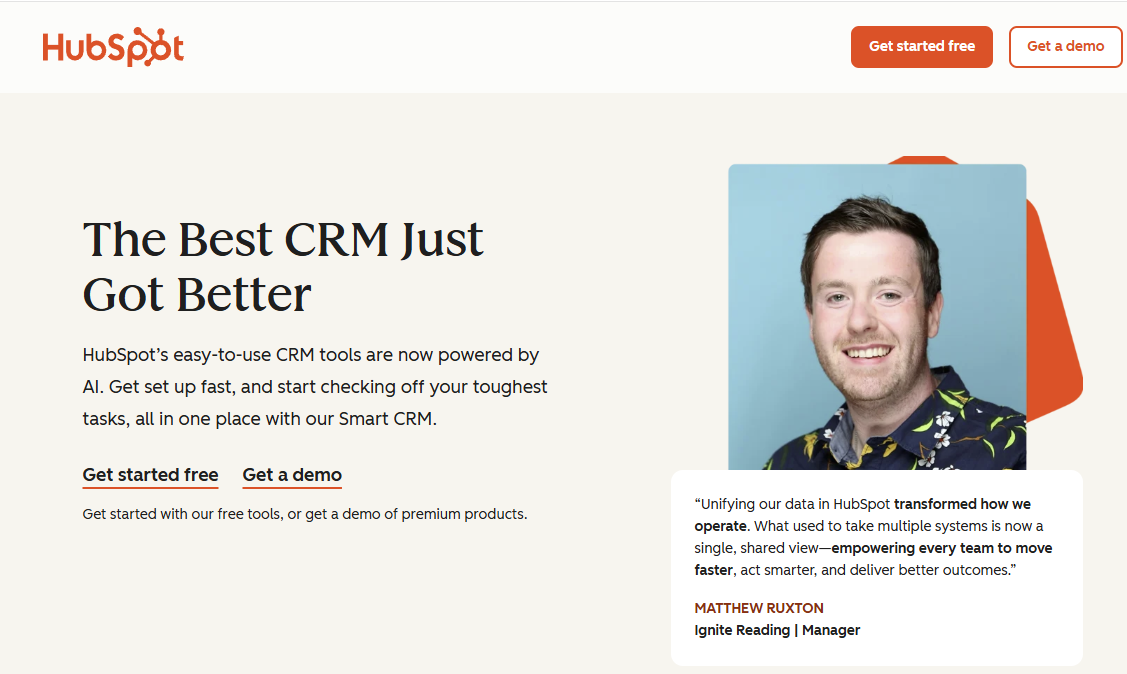
A growing business should not rely on memory, scattered notes, or an overloaded inbox to manage prospects.
HubSpot CRM provides a central place to organize contacts, companies, conversations, sales opportunities, and follow-up activity.
A customer relationship management system can help track:
- Contact details
- Lead sources
- Sales stages
- Email conversations
- Meeting activity
- Form submissions
- Follow-up tasks
- Deal values
- Customer notes
- Marketing engagement
This becomes increasingly important as inquiries come from several sources, including website forms, email campaigns, social media, referrals, advertisements, events, and telephone calls.
Without a CRM, leads can easily be forgotten. A potential customer may request information, receive one response, and then disappear because no one schedules the next follow-up.
Build a simple sales pipeline
A small business does not need an overly complicated pipeline. A service company might use stages such as:
- New inquiry
- Initial contact made
- Needs assessed
- Proposal sent
- Decision pending
- Closed won
- Closed lost
The pipeline should reflect how customers actually buy from the business. Every active opportunity should have a clear owner and next action.
HubSpot also offers marketing, service, content, and automation products. Businesses should begin with the features they genuinely need rather than buying a large suite immediately.
Alternatives include Zoho CRM, Pipedrive, Freshsales, and Salesforce.
Best for: Lead tracking, sales organization, and customer records
Main advantage: Connects marketing activity with sales follow-up
Potential limitation: Costs can increase when a business adds advanced features
7. Mailchimp for Email Marketing and Customer Nurturing
Social media algorithms change, advertising costs fluctuate, and search traffic can rise or fall. An email list gives a business a more direct way to communicate with people who have chosen to hear from it.
Mailchimp remains a widely recognized email marketing platform for newsletters, audience management, campaign reporting, and automated customer journeys.
Businesses can use it to create:
- Welcome sequences
- Newsletters
- Product announcements
- Educational email courses
- Event reminders
- Abandoned-cart messages
- Re-engagement campaigns
- Post-purchase follow-ups
- Seasonal promotions
- Customer surveys
The most effective email programs do more than send the same promotion to every subscriber.
Segment your audience
Segmentation allows a business to send more relevant messages based on factors such as:
- Purchase history
- Location
- Customer type
- Lead stage
- Product interest
- Email activity
- Registration source
- Website behavior
- Customer lifetime value
A person who downloaded a beginner’s guide may need educational content. A returning customer may be more interested in new products, loyalty benefits, or complementary services. A dormant subscriber may require a re-engagement message rather than another standard promotion.
Build automations around customer moments
Begin with a few high-value automations:
Welcome series: Introduce the business, explain what subscribers will receive, and direct them to a useful resource or offer.
Lead-nurturing sequence: Help a potential customer understand a problem, compare options, overcome objections, and take the next step.
Post-purchase sequence: Confirm the purchase, provide helpful instructions, ask for feedback, and recommend an appropriate next product or service.
Re-engagement sequence: Identify inactive subscribers and ask whether they still want to receive messages.
Mailchimp may not be the best choice for every business. Brevo can be attractive for companies seeking email, SMS, and automation in one platform. Kit is popular with creators. Klaviyo is built heavily around ecommerce data, while ActiveCampaign offers advanced automation.
The best platform is the one that supports your strategy without creating unnecessary expense or complexity.
Best for: Newsletters, email campaigns, and basic automation
Main advantage: Familiar interface with templates, segmentation, and reporting
Potential limitation: Pricing may rise as the contact database and feature requirements grow
8. Buffer for Social Media Planning and Scheduling
Maintaining an active social media presence can become difficult when a business publishes on several platforms. Logging into each account separately, uploading assets, writing captions, and tracking performance can consume hours.
Buffer helps individuals and small teams plan, schedule, publish, and review social media content from a central location.
A scheduling platform can make it easier to:
- Maintain a consistent posting schedule
- Prepare content in batches
- Adapt a campaign across several networks
- Collaborate on drafts
- Approve posts before publication
- Review engagement and reach
- Reuse evergreen content thoughtfully
- Keep promotions aligned with launches and events
Do not publish identical posts everywhere
Scheduling does not mean copying the exact same message to every network.
A professional insight that works on LinkedIn may need a shorter, more visual presentation for Instagram. A video may work well on TikTok or YouTube Shorts but require a different caption and opening for each audience.
Use scheduling tools to improve consistency, not to eliminate platform-specific judgment.
Create a balanced content calendar
A practical social media calendar may include:
- Educational advice
- Customer stories
- Product demonstrations
- Behind-the-scenes content
- Frequently asked questions
- Staff or founder perspectives
- Community involvement
- Offers and announcements
- User-generated content
- Links to in-depth website resources
Avoid making every post a direct sales pitch. Social media is more effective when it builds familiarity, demonstrates expertise, and creates opportunities for conversation.
Alternatives include SocialPilot, Metricool, Hootsuite, Sprout Social, and Zoho Social.
Read Affordable Ways to Market Your Business for additional low-cost promotional ideas.
Best for: Small businesses managing several social profiles
Main advantage: Simplifies planning and scheduled publishing
Potential limitation: Scheduling cannot replace real-time engagement with customers
9. Microsoft Clarity for Heatmaps and Session Recordings
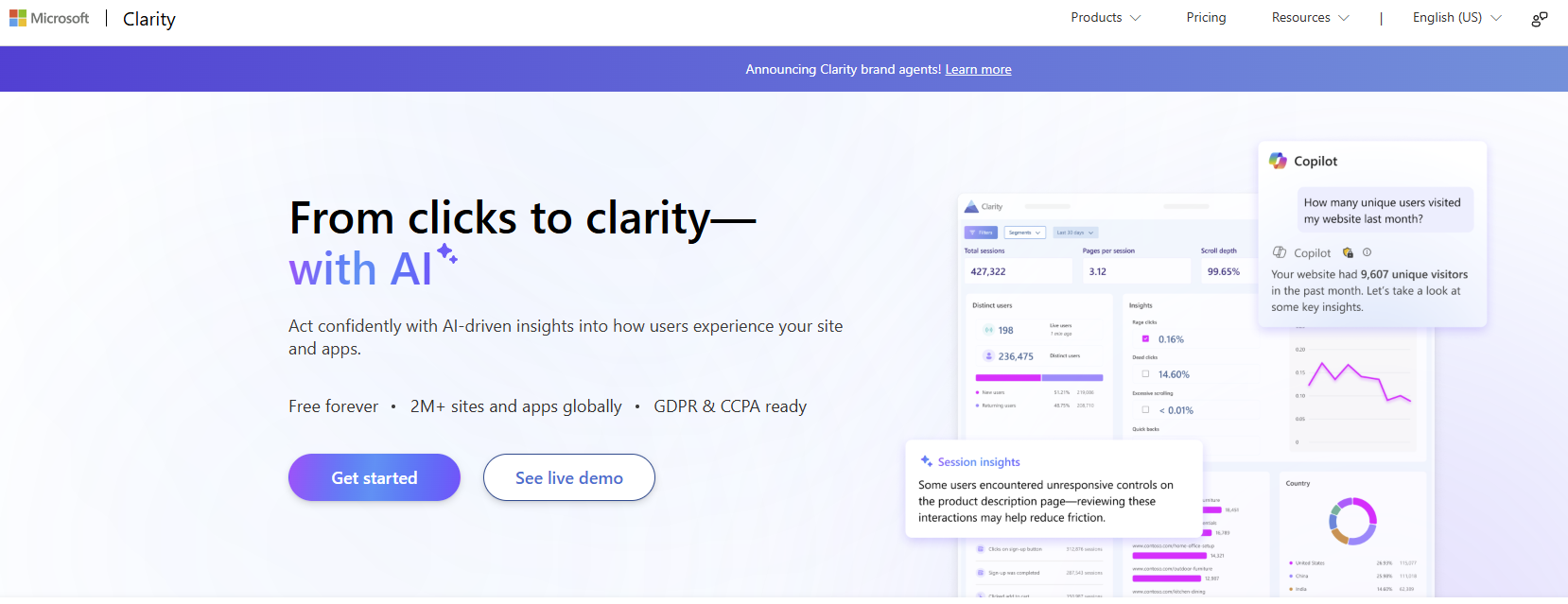
Traditional analytics can show that a landing page has a low conversion rate, but it may not reveal what frustrates visitors.
Microsoft Clarity is a free behavior-analytics platform that uses heatmaps and session recordings to show how visitors interact with a website. Microsoft describes Clarity as a free tool for understanding website behavior through session replays and heatmaps.
Heatmaps can show:
- Where visitors click
- How far they scroll
- Which page areas receive attention
- Whether people click noninteractive elements
- Which calls to action are overlooked
Session recordings allow a business to review anonymized visitor journeys and identify possible usability problems.
For example, recordings might reveal that:
- Visitors repeatedly click an image that is not linked
- A form is difficult to complete on mobile devices
- A pop-up blocks important content
- Users abandon a page at the same step
- A button is not visible without excessive scrolling
- Navigation labels are confusing
- Important information appears too late on the page
Clarity includes indicators for behaviors such as rage clicks and dead clicks, helping site owners locate areas of friction more efficiently. Its heatmaps can visualize clicks and scrolling activity.
Combine Clarity with GA4
GA4 and Clarity answer different questions.
GA4 may show that a particular landing page receives 5,000 visits and generates only 20 inquiries. Clarity may help reveal why visitors fail to complete the form.
Use GA4 to identify the page or funnel with a performance problem. Then use Clarity to investigate the visitor experience.
When reviewing recordings, look for repeated patterns rather than overreacting to the behavior of one person.
Google also recommends evaluating overall page experience, including mobile usability, secure delivery, intrusive interruptions, and Core Web Vitals.
Best for: Website usability and conversion-rate investigation
Main advantage: Free visual insight into real visitor behavior
Potential limitation: Recordings require interpretation and should be reviewed with appropriate privacy settings
10. Zapier for Connecting Marketing Applications
Even a carefully selected marketing stack can create repetitive administrative work.
A website form may produce a lead that someone must manually copy into a CRM. A new customer may need to be added to an email list. A webinar registration may need to trigger a reminder and create a sales task.
Zapier connects applications and automates actions between them, often without requiring custom programming.
A small business could create workflows such as:
- Add a website lead to the CRM automatically
- Send new customers to the appropriate email list
- Create a task when a qualified lead submits a form
- Save form attachments to cloud storage
- Notify a sales channel when a new opportunity arrives
- Add webinar registrants to a follow-up campaign
- Record online purchases in a spreadsheet
- Request a review after a completed service
- Create calendar activity from appointment forms
- Route support requests to the correct team member
Automate carefully
Automation can save time, but a poorly designed workflow can spread errors quickly.
Before activating an automation:
- Map the current process.
- Identify the trigger.
- Define the desired action.
- Remove unnecessary steps.
- Test with sample data.
- Check for duplicates.
- Assign responsibility if the automation fails.
- Review the workflow periodically.
Do not automate a broken process simply because the technology allows it. Simplify the process first, then automate the parts that are repetitive and predictable.
Alternatives include Make, Microsoft Power Automate, and native integrations included in many marketing platforms.
Best for: Connecting applications and reducing repetitive data entry
Main advantage: Supports useful automation without extensive coding
Potential limitation: Complex workflows can become difficult to troubleshoot
Which Digital Marketing Tools Does Your Business Actually Need?
The digital marketing industry offers thousands of tools, but no business needs all of them. A platform that is essential for an ecommerce retailer may provide little value to a local contractor, consultant, restaurant, or home-based service provider.
The right starting point is not a list of popular products. It is the most important marketing problem your business currently needs to solve. You may need better visibility into website traffic, stronger search rankings, more consistent social media publishing, improved lead follow-up, or a simpler way to create marketing materials.
Choosing tools around clear priorities helps prevent unnecessary spending and makes it easier to measure whether each platform is delivering value. Begin with the smallest combination that supports your immediate goals, and expand the stack only when a new need becomes clear.
| Business problem | Tool to consider first |
| You do not know how customers find your website | Google Analytics 4 |
| You want to improve Google search traffic | Google Search Console |
| You need deeper SEO and competitor research | Semrush |
| Content production takes too much time | ChatGPT |
| Your graphics are inconsistent | Canva |
| Leads are being forgotten | HubSpot CRM |
| You do not communicate regularly with prospects | Mailchimp |
| Social media publishing is inconsistent | Buffer |
| Visitors arrive but do not convert | Microsoft Clarity |
| Staff repeatedly transfer information between apps | Zapier |
Before purchasing software, answer five questions:
- What specific problem will this tool solve?
- Who will be responsible for using it?
- How frequently will it be used?
- Which metric should improve?
- Does it duplicate software you already have?
If those questions do not have clear answers, delay the purchase.
A Practical Free or Low-Cost Marketing Stack
A limited budget does not prevent a small business from building an effective digital marketing system. Many of the most useful platforms offer free versions, entry-level plans, or core features that are sufficient for a new or growing company.
The key is to focus on essential functions rather than trying to replicate the complex technology stack of a large corporation. Most small businesses need a reliable way to measure website performance, monitor search visibility, create content, manage contacts, communicate with customers, and organize campaigns.
Starting with free or low-cost tools also gives the business time to understand its needs before committing to expensive annual subscriptions. Premium software can be added later when the company has enough traffic, leads, revenue, or team capacity to benefit from the additional features.
A practical starting stack might include:
| Function | Starting tool |
| Search monitoring | Google Search Console |
| Website analytics | Google Analytics 4 |
| Visitor behavior | Microsoft Clarity |
| Visual design | Canva Free |
| AI assistance | ChatGPT |
| Customer records | HubSpot’s free CRM tools |
| Social scheduling | Buffer’s entry-level option |
| Email marketing | A limited Mailchimp, Brevo, or Kit plan |
| Planning | Google Sheets, Trello, or Todoist |
| File storage | Google Drive or Microsoft OneDrive |
A premium SEO tool may be added later when the business has an established content strategy and someone available to act on the research.
How to Build an Effective Digital Marketing Workflow
Individual tools become far more valuable when they are connected through a clear and repeatable workflow. Without a defined process, businesses may conduct keyword research that never becomes content, collect leads that receive no follow-up, publish campaigns without tracking results, or gather analytics without using the findings to make improvements.
An effective digital marketing workflow defines how an idea moves from research and planning to production, distribution, lead capture, measurement, and optimization. It also clarifies which tool should be used at each stage and who is responsible for the next action.
The goal is not to automate every activity or use as many platforms as possible. It is to create a dependable system that helps the business produce stronger campaigns, respond to opportunities more quickly, and learn from every marketing effort.
Consider the following workflow for publishing and promoting an article:
Step 1: Research the opportunity
Use Search Console to review topics already generating impressions. Use Semrush to examine related keywords, competitors, and content gaps. Review customer questions from sales calls, emails, and online communities.
Step 2: Plan the content
Use ChatGPT to organize research, identify missing questions, create an outline, or develop alternative approaches. Add firsthand experience, original examples, expert input, and credible sources.
Step 3: Produce the assets
Write and edit the article. Use Canva to create a featured image, infographic, or social media graphic.
Step 4: Publish and distribute
Publish the article on the website. Use Buffer to schedule platform-specific social posts. Send the article to relevant email subscribers through Mailchimp.
Step 5: Capture and organize leads
Send form submissions to HubSpot CRM. Use Zapier or a native integration to assign follow-up actions and add qualified contacts to the correct email sequence.
Step 6: Measure performance
Use Search Console to track search impressions and clicks. Review GA4 to measure engagement and conversions.
Step 7: Improve the experience
Use Microsoft Clarity to examine how visitors interact with the article and its calls to action. Update areas that cause confusion or receive little engagement.
This process creates a feedback loop. Research informs production, distribution generates data, and data guides the next improvement.
For a broader framework, read What Is Business Marketing? A Comprehensive Guide and How to Assess Your Marketing Strategies.
Common Mistakes When Choosing Marketing Software
Marketing software can save time and improve performance, but the wrong tools can create more work than they eliminate. Small businesses often subscribe to platforms because they are popular, heavily promoted, or recommended by another company without first considering whether those platforms fit their own goals, team, and budget.
The result may be a collection of overlapping subscriptions, underused features, disconnected data, and dashboards that no one has time to review. In some cases, a business spends more effort managing its technology than improving its marketing.
Before adding another platform to your marketing stack, it is important to understand the mistakes that commonly lead to wasted money, unreliable data, and unnecessary complexity.
Buying software before defining a strategy
A tool cannot decide who your target customer is, what makes your business valuable, or why someone should choose you. Establish the strategy before selecting the platform.
Paying for overlapping features
Several tools may include email, social publishing, analytics, CRM, or AI features. Review existing subscriptions before adding another platform.
Choosing the most advanced product
The most feature-rich system is not always the best choice. A simpler platform that the team uses consistently may produce better results than an enterprise platform that no one understands.
Failing to configure tracking
Installing analytics is not enough. Important actions such as purchases, calls, downloads, bookings, and form submissions must be tracked correctly.
Collecting data without reviewing it
Dashboards have little value when no one turns the information into decisions. Establish a monthly reporting routine with a small number of meaningful metrics.
Automating too early
Do not automate an unclear or unreliable process. Document the workflow, remove unnecessary steps, and then automate.
Ignoring privacy and security
Review user permissions, data-sharing settings, integrations, consent requirements, and account security. Employees should receive only the access necessary for their roles.
Publishing unedited AI content
AI can accelerate drafting, but inaccurate or generic material can damage credibility. Human review remains essential.
Focusing on activity instead of outcomes
More posts, emails, keywords, or website visits do not necessarily mean better results. Connect marketing activity to leads, customers, revenue, retention, or another defined business objective.
How to Evaluate Whether a Tool Is Worth the Cost
The price listed on a software company’s website tells only part of the story. A marketing tool may appear inexpensive but become costly once you account for implementation, staff training, additional users, premium integrations, data limits, and the time required to manage it. On the other hand, a more expensive platform may deliver a strong return if it replaces several subscriptions, reduces repetitive work, improves lead follow-up, or helps the business generate more revenue.
For that reason, marketing software should be evaluated by the value it creates rather than by its monthly fee alone. Consider how the tool affects productivity, decision-making, customer experience, conversion rates, and employees’ ability to complete important work. It is also important to examine whether the business is using the platform consistently and whether its features support a measurable goal.
A tool that costs $100 per month may be worthwhile if it saves 10 hours of manual work, prevents valuable leads from being lost, or improves conversion rates. By contrast, a tool that costs only $20 per month is still wasteful if nobody uses it or if it duplicates features already available elsewhere.
Before subscribing, define the result you expect the tool to produce and how that result will be measured. After implementation, review its performance regularly to determine whether to retain, upgrade, downgrade, replace, or cancel it.
Consider:
- Subscription fees
- Setup costs
- Training time
- Integration expenses
- Time saved
- Errors reduced
- Leads generated
- Revenue influenced
- Customer retention
- Reporting quality
Review paid tools at least twice a year. Remove unused seats, cancel overlapping products, and downgrade plans that include unnecessary features.

Final Thoughts
The right digital marketing tools can help a small business work more efficiently, understand customers, improve visibility, and turn marketing activity into measurable growth. They cannot replace a clear strategy, useful content, strong products, good service, or consistent execution.
Start with the essentials. Use Google Search Console to understand search visibility, Google Analytics 4 to measure outcomes, and Microsoft Clarity to see where users struggle. Add a CRM when leads become difficult to manage, email software when you are ready to nurture an audience, and automation when repetitive work begins to slow the team down.
Premium platforms such as Semrush can provide deeper intelligence, while ChatGPT and Canva can accelerate content production. Social scheduling tools such as Buffer can improve consistency, but they should support genuine customer engagement rather than replacing it.
The best marketing stack is not the one with the most software. It is the smallest combination of tools that helps your business attract the right audience, deliver a better customer experience, and generate sustainable results.
Frequently Asked Questions
What are digital marketing tools?
Digital marketing tools are software platforms that help businesses plan, create, distribute, measure, or automate online marketing activities. They may support search engine optimization, email, social media, advertising, analytics, content creation, lead management, customer research, or website optimization.
What is the best digital marketing tool for a small business?
There is no single best tool for every business. Google Analytics 4 and Google Search Console are strong starting points for businesses with websites. A company struggling to organize leads may benefit more from a CRM, while a business relying heavily on newsletters may prioritize email marketing software.
Which digital marketing tools are free?
Google Search Console, Google Analytics 4, and Microsoft Clarity are available without a standard subscription fee. Canva, ChatGPT, HubSpot, Buffer, Mailchimp, and Zapier also offer free or limited entry options, although availability, limits, and pricing may change.
Does a small business need an SEO tool?
Every business with a website should use Google Search Console. A paid SEO platform becomes more useful when the company regularly publishes content, competes for valuable search terms, manages multiple websites, or needs detailed competitor and backlink research.
Can ChatGPT replace a marketing employee or agency?
ChatGPT can support research, planning, writing, analysis, and repetitive tasks, but it does not replace business judgment, customer knowledge, original expertise, fact-checking, creative direction, or accountability. It works best as an assistant within a human-led process.
Is email marketing still effective?
Email remains valuable because subscribers have chosen to receive communications directly from the business. Results depend on list quality, relevance, segmentation, message frequency, deliverability, and the strength of the offer.
What is the difference between Google Analytics and Microsoft Clarity?
Google Analytics helps quantify traffic, events, channels, and conversions. Microsoft Clarity helps visualize visitor behavior through heatmaps and session recordings. Used together, they can show both where a problem exists and how users experience it.
How many marketing tools should a small business use?
Use only the tools the business can manage consistently. A new company may need only analytics, search monitoring, design, email, and a basic CRM. Add specialized software when a specific need justifies the cost and training.
How often should marketing tools be reviewed?
Review core marketing data monthly and audit subscriptions every six months. Check whether each tool is being used, whether it duplicates another platform, and whether it contributes to a business objective.
How do I know whether a marketing tool is producing a return?
Define the desired result before implementing the tool. Depending on its purpose, measure time saved, leads captured, conversions, customer retention, organic traffic, email revenue, reduced errors, or improved response time. Compare these benefits with subscription, implementation, and training costs.
