

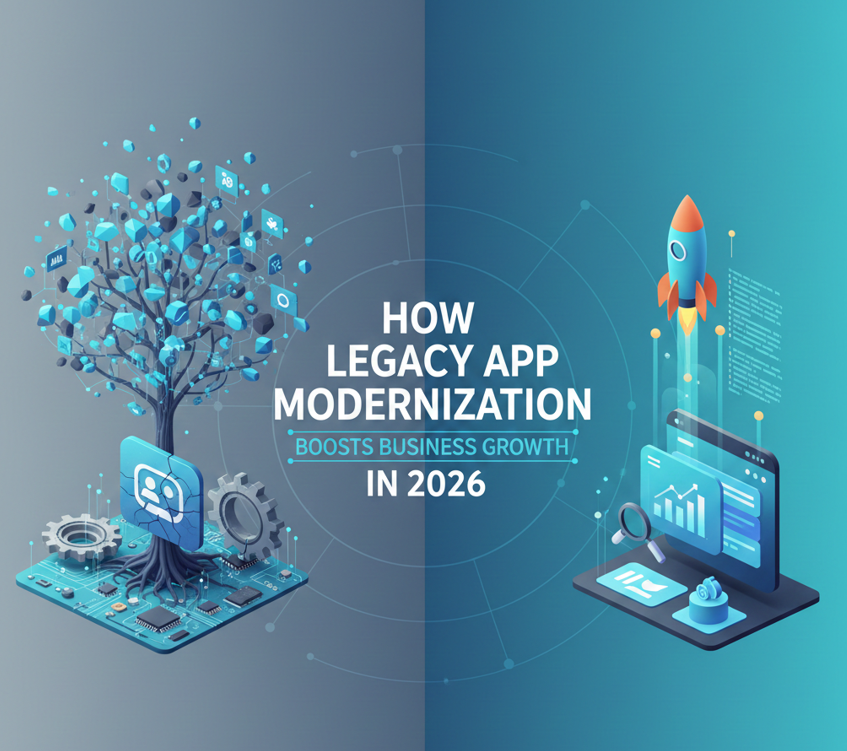
Legacy application modernization isn’t just a technical upgrade—it’s a growth move. In 2026, businesses modernize legacy systems to ship features faster, scale reliably, improve user experience, strengthen security, and integrate with modern tools like APIs, cloud platforms, and AI. This guide breaks down the key modernization services and the 7R framework so you can choose the right path for each application.
Legacy app modernization sounds like an IT project until it starts messing with sales, customer experience, or your team’s ability to move fast. If your systems are slow to update, hard to integrate, or break whenever you touch them, growth gets harder than it needs to be. Features take longer. Fixes cost more. People work around the system instead of working with it.
Modernization is how you get your momentum back. It’s not about chasing shiny tech. It’s about removing the “technical drag” that quietly taxes every part of the business—speed, security, reliability, and customer satisfaction. When you modernize the right way, you launch faster, scale easier, reduce risk, and stop burning time on fragile processes.
In this guide, you’ll learn what legacy modernization really means in 2026, how to spot when a system has become a bottleneck, which modernization options actually move the needle, and how the 7R framework helps you choose the right strategy for each application (without defaulting to a risky rebuild).
Quick note:
- The global legacy application modernization market in 2026 is a rapidly growing sector, valued at around $27-$30 billion.
- AI-augmented engineering, cloud-native, and low-code/no-code are among the key trends in application modernization.
- Rehost, Refactor, Revise, Rebuild, Replace, Retire, and Retain are the 7Rs of legacy application modernization.
- By modernizing legacy systems, it introduces a list of benefits like increased performance and scalability, enhances security and compliance, improves user experience, and more.
- Financial services, Healthcare systems, and manufacturing are among the key use cases for modernizing legacy systems.
Now, before delving into the deep, let’s start from scratch and first understand what legacy application modernization is.
Table of Contents
What Is Legacy Application Modernization?
As we are getting digitized there are already thousands of updates and features, tools that are running everyday. So, modernizing your system is not necessary but it’s now a necessity. Legacy app modernization means the process of upgrading older software so they can operate effectively in the modern digital environment.
The question is how you can analyze whether your system is outdated. We have listed some of the main red flags that make your system outdated.
- Built on obsolete or unsupported technologies
- Struggle to connect with modern systems and APIs
- Require high maintenance and cost
- Exposes the organisation to increased cybersecurity threats
- Cannot scale efficiently to meet growing demands
- Rely on legacy frameworks and programming languages
- Unable to scale to support business growth
Table 1: Legacy System Red Flags → Best Next Move
Before you choose a modernization strategy, get clear on why the system is holding you back. This quick table connects common legacy “red flags” to practical next steps, so readers can go from symptoms to an action plan without guessing.
| Legacy red flag | What it usually causes | Good “first move” | Often aligns with (7R) |
|---|---|---|---|
| Obsolete/unsupported tech | Rising outages + hard-to-hire skills | Stabilize + plan migration | Replatform / Refactor |
| Hard to integrate with APIs/tools | Slow launches, manual workarounds | Add/modernize APIs | Replatform / Refactor |
| High maintenance cost | Budget drain, slower roadmap | Reduce infra burden | Rehost / Replatform |
| Cybersecurity exposure | Higher breach risk | Upgrade stack + controls | Refactor / Repurchase |
| Can’t scale efficiently | Performance issues under load | Improve runtime + architecture | Replatform / Refactor |
| Legacy frameworks/languages | Delivery slows over time | Modernize core components | Refactor / Repurchase |
Once you’ve spotted the red flags, the next question is the one that matters most: what kind of modernization do you actually need? Modernization isn’t a single project; it’s a menu of approaches, and the right choice depends on how critical the application is, how much risk you can tolerate, and how quickly you need results. Some businesses need a fast lift-and-shift move to reduce infrastructure headaches. Others need deeper work—like refactoring—because the system is core to revenue and can’t keep up with demand. The options below are the most common modernization services organizations prioritize in 2026 because they deliver real improvements in performance, speed, security, and scalability.
Cloud Migration
Cloud migration is all about moving your application from older versions to newer ones. It shifts onto premise servers like AWS and Google Cloud Platform, then moves them to the cloud, and finally fine-tunes them to run better. It helps businesses avoid hardware headaches, reduce costs, and scale easily. Systems automatically adjust to demand, stay available 24/7, and give teams the freedom to work faster and smarter.
Microservices Conversion
Microservices are used to redesign the application structure without disrupting the cycle and at minimal cost. It moves from bulky, outdated structures to modern ones, such as modular systems. It makes innovation faster and safer.
API modernization
API modernization focuses on enabling different systems to communicate smoothly and securely. By turning older, disconnected applications into API-enabled services, businesses can easily connect platforms, partners, and third-party tools. This speeds up data flow, supports automation, and enables teams to build new features without disrupting existing systems, saving time and effort.
UI/UX redesign
UI/UX redesigns modernize an application by making it simpler, faster, and more user-friendly. It improves usability, supports mobile access, and helps users adopt new features easily. Even with the same backend, a modern UI makes the application feel fresh, efficient, and relevant.
Low-code/No-code platforms
Low-code and no-code platforms help modernize applications by letting people build features with visual tools rather than heavy coding. This makes development faster and easier, even for non-technical teams. Businesses can quickly create, update, and improve apps without waiting for long development cycles or specialized developers.
AI-Driven Modernization
AI upgrades legacy applications faster and smarter. AI helps analyze old code, suggest improvements, automate testing, and predict issues before they happen. It also enables smarter features such as chatbots and personalization, making applications more efficient, reliable, and user-friendly without excessive manual effort.
As we have witnessed, it’s crucial for system modernization. Now let’s move forward and look at the 7R’s that help modernize legacy systems.
Table 2: Modernization Services → Business Growth Outcomes
Modernization isn’t one tactic—it’s a toolkit. This table translates each modernization service into business outcomes (speed, stability, customer experience, and cost), so non-technical stakeholders can see why each item matters.
| Modernization service | What it changes | Business growth payoff | Example “success signal” |
|---|---|---|---|
| Cloud migration | Hosting + scalability | Lower infra drag, faster scaling | Fewer outages during peak demand |
| Microservices conversion | Architecture (modular) | Faster releases, safer innovation | Smaller releases, fewer rollbacks |
| API modernization | Integration layer | Faster automation + new features | More integrations shipped per quarter |
| UI/UX redesign | Front-end experience | Higher adoption + retention | Better task completion / fewer support tickets |
| Low-code/no-code | Delivery workflow | Faster iteration for teams | Shorter lead time for improvements |
| AI-driven modernization | Code analysis/testing | Reduced manual effort, fewer defects | Faster testing cycles / fewer production bugs |
7R’s of Legacy Application Modernization
The 7R framework is popular because it forces a clear decision: what’s the smartest move for this specific application? Not every system deserves a rebuild. Some should be retired. Some can be moved quickly. Some should be refactored because they’re core to revenue and growth.
This framework gives you a practical, business-friendly way to make those calls. It helps you balance speed, risk, and ROI—so modernization becomes a structured plan, not a stressful “we need to fix everything” scramble.
Table 3: 7R Modernization Cheat Sheet
The 7R framework helps readers pick the right level of change for each application. This cheat sheet makes it easy to compare options side-by-side—so decision-makers can match the strategy to business risk, timeline, and expected payoff.
| 7R option | What it means | Best when… NOTE: not quoting, derived | Speed | Up-front effort |
|---|---|---|---|---|
| Retain | Keep as-is | Still meets needs; change is risky right now | Fast | Low |
| Retire | Shut down | No longer useful; cost/risk > value | Fast | Low |
| Rehost | Move “as-is” | Need speed + lower infra burden | Fast | Low–Med |
| Replatform | Move + minor improvements | Want efficiency without full rewrite | Medium | Medium |
| Refactor | Redesign code/architecture | App is strategic; need long-term agility | Slow | High |
| Relocate | Move infrastructure/provider | Need continuity while planning next steps | Fast–Med | Low–Med |
| Repurchase | Replace with SaaS | Function is commodity; buy modern capability | Medium | Medium |
Retire
Retire means shutting down an application because it’s no longer worth the cost, maintenance, or risk. This is often the easiest modernization win because older apps tend to hang around long after they stop being useful. Meanwhile they still create security exposure, data confusion, and support work.
Retirement isn’t just “turn it off.” Done right, it includes a plan for archiving data, replacing any needed workflows, and making sure no teams are left stranded. The payoff is a simpler tech stack and fewer moving parts slowing you down.
Retain
Retain means keeping the application as-is—for now—because modernizing it isn’t the smartest move at this moment. That might be because it’s stable, heavily customized, too risky to touch, or dependent on other systems that need to be handled first.
Retain is a strategic pause, not denial. The smart way to retain is to monitor it, patch what you can, and set a review date—so you’re not “accidentally” keeping a system for the next five years because nobody wanted to make the call.
Rehost
Rehost is the “move it fast” option—often described as lift-and-shift. You move the app to a new environment (usually the cloud) with minimal code changes. It’s one of the quickest ways to reduce infrastructure burden and improve scalability.
Rehosting won’t fix messy architecture by itself, but it can buy you time and stability. Many businesses rehost first to reduce operational strain, then tackle deeper modernization steps once the app is running in a more flexible environment.
Replatform
Replatforming is a smart middle ground. You move the app and make targeted improvements—enough to run better, cost less, and be easier to operate—without doing a full redesign. This is a common choice when the business needs measurable improvement but doesn’t have the appetite for a major rebuild.
Replatforming often includes using managed cloud services, optimizing databases, updating runtimes, and improving deployment processes. It’s “modernize what matters most” without blowing up the entire system.
Refactor
Refactor is the deeper investment: redesigning the underlying code and architecture so the application becomes easier to improve, safer to change, and more scalable long term. This is usually the right choice for systems that are core to revenue, customer experience, or critical operations.
Refactoring takes more planning and time, but it often delivers the biggest payoff in agility. When done in phases, it reduces risk—modernize one component, prove stability, then expand—so you’re not betting the entire business on one big launch.
Relocate
Relocate is about moving an app to a different infrastructure setup or provider with minimal change—often due to cost, vendor strategy, geography, or consolidation. It’s similar to rehosting, but the intent is often more operational than transformational.
Relocation can be a smart step when you need continuity now but want flexibility later. Just be clear about what it does and doesn’t do: it improves where the system runs, but it won’t fix deeper performance or architecture problems without follow-on work.
Repurchase
Repurchasing means replacing the legacy application entirely with a modern, ready-made solution, often a SaaS product. Instead of fixing an old system, you buy a new one that already meets your needs, just like replacing a custom CRM with Salesforce. This reduces maintenance effort but may require process changes and user retention.
The advantage is speed: you can adopt modern features quickly. The trade-off is change management: migration, training, process updates, and adoption. But if you choose the right tool and plan the rollout well, repurchase can be one of the fastest paths to modernization and reduced maintenance burden.
So, now we are familiar with the modernization path. Let’s now explore the major benefits of modernizing legacy applications that help your business grow.

Top Benefits of Modernizing Legacy Applications
Modernization is ultimately a business decision, not just an IT decision, because it affects how fast you can execute, how well you serve customers, and how confidently you can scale.
When legacy systems become bottlenecks, growth starts costing more: teams take longer to deliver, outages become more painful, and security risk increases. Modernizing removes that drag. It gives your company a stronger foundation to launch products, improve experiences, reduce operational chaos, and integrate the tools that power modern business. Here are the biggest growth benefits organizations typically see when modernization is done with a clear strategy.
Faster Innovation and Agility
When systems are modern, teams can ship updates without fear. Changes don’t take forever. Testing and deployments are smoother. And you can respond faster when customers want something new or the market shifts.
This agility adds up. It’s the difference between “we’ll add that next quarter” and “we can get that out in two weeks.” Modernization turns speed into a competitive advantage instead of a constant struggle.
Improved User Experience
User experience isn’t just design—it’s time, trust, and follow-through. If your app is slow, confusing, or clunky, people bounce, complain, or work around it. That kills adoption and raises costs.
Modernization improves experience by making tasks simpler, screens faster, and workflows clearer—so customers stick around and employees get work done without fighting the system every day.
Scalability
Growth breaks weak systems. What works today may not work when traffic doubles, data grows, or operations expand. Modernization helps your applications handle more volume without turning every spike into a crisis.
Scalability isn’t just “bigger servers.” It’s architecture, performance, reliability, and flexibility—all working together so your business can grow without your systems becoming the limiting factor.
Cost Optimization and Better ROI
Legacy apps come with hidden costs: constant maintenance, hard-to-find skills, slow delivery cycles, and the opportunity cost of delays. Modernization reduces that “legacy tax.”
The best ROI isn’t just savings—it’s what you can do with the freed-up time and budget: build better products, improve marketing execution, launch new features, and expand with fewer operational headaches.
Stronger Security and Business Community
Older systems often have outdated dependencies and weaker monitoring, which increases risk. Modernization improves security by making it easier to patch, monitor, control access, and recover quickly when something goes wrong.
Business continuity matters just as much. When systems are more resilient, you protect revenue, reputation, and customer trust—because downtime and breaches don’t just hurt IT, they hurt the entire business.
Easier Integration With New Technologies
Modern businesses grow by connecting systems—tools for marketing, sales, analytics, automation, payments, and AI. Legacy apps often block those connections or make them expensive.
Modernization makes integration easier by improving APIs and data flow. That means faster experiments, smoother automation, and less “custom glue” holding your business together behind the scenes.

Use Cases Of Modernizing Systems
Modernization looks different by industry, but the motivation is usually the same: speed, reliability, security, and better experiences. In regulated industries, modernization is often risk-driven. In consumer-facing industries, it’s often experience-driven. Either way, legacy systems tend to become bottlenecks once digital expectations rise.
These examples help show where modernization creates tangible impact, not just “technical improvement.”
Table 4: Industry Use Cases for Modernization
Readers often want to know, “Okay—but where does this show up in the real world?” This table gives quick, industry-specific examples of what modernization enables, so the benefits feel concrete instead of generic.
| Industry | What modernization is usually fixing | What it enables |
|---|---|---|
| Financial services | Speed, security, compliance | Better digital banking + safer transactions |
| Healthcare | Patient data + secure access | Telemedicine + faster medical record access |
| Manufacturing | Monitoring + reliability | Automation, predictive maintenance, supply chain efficiency |
| Education | Old portals + limited access | E-learning platforms + improved student access |
| Media/Entertainment | High-traffic performance | Streaming stability + personalization |
Financial Services
Financial services modernize because slow systems don’t just annoy customers—they create risk and limit competitiveness. Modernization supports faster digital services, better uptime, stronger security controls, and smoother transactions.
It also makes it easier to add automation and analytics—important for fraud detection, customer personalization, and operational efficiency in a space where customers expect speed and trust.
Healthcare Systems
Healthcare modernization focuses on secure access, reliability, and smoother patient experiences. Legacy systems can slow record access, complicate interoperability, and make digital services like portals and telehealth harder to deliver well.
Modernization helps healthcare teams reduce friction, improve data access, and strengthen security so systems support care delivery instead of adding stress to it.
Manufacturing
Manufacturing modernizes to improve visibility, automation, and efficiency. Legacy systems can block real-time monitoring, predictive maintenance, and smooth supply chain coordination.
Modernization helps connect systems and data streams so manufacturers can reduce downtime, improve production efficiency, and make better decisions faster, especially when small delays can cascade into bigger losses.
Education
Education modernization often comes down to usability and access. Students and staff rely on online platforms for learning and administration, and legacy portals can be slow, confusing, and inconsistent across devices.
Modernization improves performance, the mobile experience, and integration with learning tools, reducing friction during high-demand moments like enrollment, grading, and exams.
Media and Entertainment
Media and entertainment modernize because performance is the product. Streaming platforms can’t afford outages, buffering, or slow experiences, especially during peak demand.
Modernization supports scale, stability, and personalization by improving infrastructure and data flow. It helps platforms keep audiences engaged and reduces churn in an industry where users can switch services instantly.

Wrapping Up
Modernizing legacy applications is one of the most practical ways to support growth—because it fixes the systems that quietly control speed, reliability, and customer experience. The smartest modernization plans aren’t “rip and replace everything.” They’re targeted, phased, and tied to business value.
If your growth goals are bigger than what your current stack can comfortably support, modernization is how you close the gap—so your systems stop being the limiter and start being the advantage.
FAQ
What is legacy application modernization?
Legacy application modernization is the process of upgrading older software so it can run effectively in today’s environment—meaning it’s easier to scale, safer to operate, simpler to integrate, and faster to improve. In your article, this is framed as updating outdated applications so they can support modern growth models and better customer experiences, not just “updating versions.” Practically, modernization can include cloud migration, converting to microservices, enabling modern APIs, redesigning UI/UX, and using low-code/no-code or AI-assisted engineering to speed delivery. The core idea: keep what still creates business value, but remove the technical friction that slows teams down or increases risk.
How do I know if my system is considered “legacy”?
A system is “legacy” when it’s still in use but is holding the business back. The clearest signs are operational, not emotional: unsupported tech stacks, high maintenance cost, weak security posture, difficulty connecting to modern tools (APIs), and poor scalability as demand grows. Your draft already lists strong “red flags,” including integration struggles, high cost of upkeep, increased cybersecurity exposure, and inability to scale to meet business growth. A good rule of thumb: if teams avoid touching the system because changes feel risky or slow, you’re paying the “legacy tax” every month—whether you call it legacy or not.
What are the “7 Rs” of modernization (and what do they mean)?
The “7 Rs” are a structured way to choose the right modernization path per application. Your article covers the key idea: you don’t modernize everything the same way—some apps should be kept, some moved quickly, some improved, and some retired. The 7Rs you describe include: Retire (shut down), Retain (keep as-is), Rehost (move with minimal changes), Replatform (move + small improvements), Refactor (re-architect code for long-term value), Relocate (move infrastructure/provider with minimal change), and Repurchase (replace with SaaS). The benefit of this framework is decision clarity—especially when modernization needs to show ROI and avoid unnecessary rewrites.
What’s the difference between rehosting, replatforming, and refactoring?
Think of these as “how deep do we go?”
Rehost = fastest move. You shift the application to a new environment (often cloud) without changing how it works—low risk, but you don’t fully unlock cloud-native benefits.
Replatform = same core app, but you make targeted improvements so it runs more efficiently in the new environment (still lower risk than major redesign).
Refactor = deeper engineering work. Business logic can stay, but the code/architecture gets redesigned to support speed, flexibility, and long-term scaling. This takes longer but usually delivers the strongest long-term payoff when the app is strategic.
Is it better to modernize a legacy system or replace it?
It depends on business value, urgency, and how unique the system is. If the legacy app is a competitive differentiator (custom workflows, unique data logic), modernization—especially refactoring—can protect that advantage while removing bottlenecks. If the app is basically a commodity (ex: standard CRM/HR functions), repurchasing a modern SaaS product can be faster and cheaper long-term, even if change management is required. Your draft supports both paths: it highlights refactor for long-term value and repurchase when buying a ready-made solution makes more sense. A practical approach is to classify apps by (1) business criticality and (2) modernization effort, then choose the “R” that fits.
What are the biggest benefits of legacy modernization for business growth?
Your article ties modernization directly to growth levers: faster innovation (shipping features sooner), better UX (retention + satisfaction), scalability (handling peaks and expansion), cost optimization (lower maintenance + infrastructure drag), stronger security (less downtime + better trust), and easier integration with modern tech like AI, automation, and third-party platforms. This matters because growth often fails at the “systems layer”—marketing succeeds, demand rises, and then the old stack becomes the bottleneck. Modernization removes that bottleneck so teams can execute faster with fewer operational fires.
How long does legacy application modernization take?
Timelines vary based on which “R” you choose and how complex the application is. Rehosting and relocating can be relatively fast because they minimize code changes. Replatforming adds some tuning. Refactoring and major architectural changes usually take longer because you’re rebuilding the foundation while keeping business continuity. A helpful way to set expectations is to scope by application slices: start with one workflow or service, prove performance/security improvements, then expand. That “start small + scale” approach also reduces risk and avoids the common trap of trying to modernize everything at once.
What’s the cost of legacy modernization?
Costs depend on the strategy. In general: retain/retire are cheapest, rehost/replatform/relocate are mid-range, and refactor is the most expensive up front but can deliver the biggest long-term savings and agility. Repurchase shifts cost into licensing + implementation + training (often predictable, but not always “cheap”). A strong cost conversation includes: infrastructure/hosting changes, engineering time, testing, security/compliance work, downtime risk, and training (especially for repurchase). The most credible cost framing is: “cost to modernize” vs “cost to keep it” (maintenance + risk + slower delivery).
Does modernization improve security and compliance?
Yes—because legacy systems often have outdated dependencies, limited monitoring, and weaker controls. Your article highlights that older systems can increase cybersecurity exposure, while modernized apps typically gain stronger security features and better resilience (like improved backups and reduced downtime). Beyond tools, modernization also makes security easier to operationalize: patching is faster, access controls can be standardized, and integrations can be secured through modern API gateways instead of fragile point-to-point connections. That’s why modernization is often framed as both a growth strategy and a risk strategy.
Which industries benefit most from modernizing legacy systems?
Any industry running mission-critical systems benefits, such as financial services, healthcare, and manufacturing, where speed, uptime, compliance, and data integrity matter daily. You also include education (e-learning/portals) and media & entertainment (streaming, personalization, high-traffic demand). These sectors tend to see faster ROI because legacy friction directly impacts customer experience, operational efficiency, and risk exposure.
